

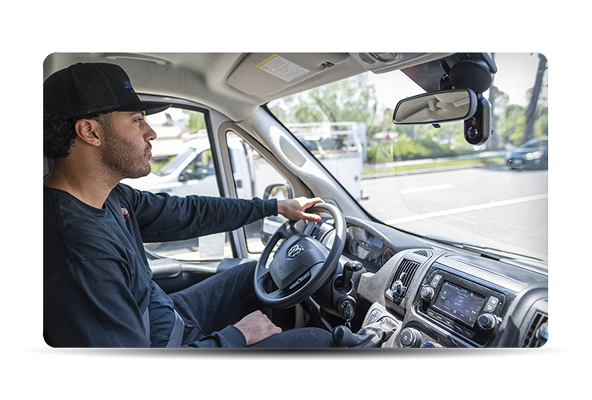

385GW Dash Cam Support

Below you'll find everything you need for this Dash Cams, including any manuals, firmware upgrades, FAQs and tutorials.

385GW Dash Cam Support

Below you'll find everything you need for this Dash Cams, including any manuals, firmware upgrades, FAQs and tutorials.


-

How can we help?

Setup & Installation help

Step-by-step instructions for quick and easy installation
View Instructions

Updating your firmware

Step-by-step instructions for quick and easy Update
Learn how to update

Downloading a video

Knowledge Base

How to connect your Nextbase 385GWX and 385GW Dash Cam to the Nextbase app

Download the Nextbase app, create an account, power on the 385 Dash Cam, hold Protect 5s to pair, then connect

Firmware Updates

Update your Nextbase Dash Cam firmware via the app or SD card to improve performance, fix bugs, and add new features.

385GWX and 385GW unboxing and installation

385GWX/385GW is professionally installed when you purchase your vehicle with SD card, ferrite core and battery.

What do Dash Cam alerts mean?

Dash Cam alerts warn of SD card issues, such as no card detected or card error. Check or replace the SD card.

Nextbase Subscription

Solo includes app features and 30-day cloud storage. Protect includes Emergency SOS, 180-day storage and warranty.

What is Emergency SOS ?

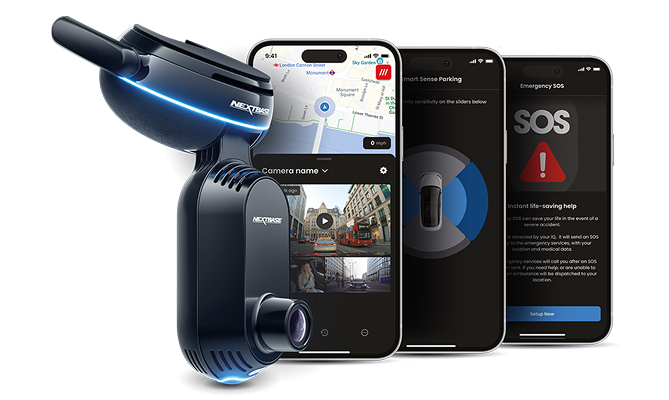
Emergency SOS detects crashes, starts a 120-second countdown, and contacts emergency services if the driver does not respond.

Firmware Updates

Firmware updates improve dash cam performance, fix bugs, add features, and ensure compatibility with the app and devices.

How do I use voice control on my 385GW & 385GWX Dash Cam?

Voice control lets you use “Hey Dash Cam” commands to activate Protect, Witness Mode, or Privacy Mode hands-free while driving.

What is Witness Mode Lite?

Witness Mode Lite protects incident footage using voice command, keeping the video protected on the SD card.

What Is a Nextbase Skin?

Skins add overlays like speed, GPS, map data, G-force, time and social usernames to personalise dash cam videos.

What Is Loop Recording?

Loop recording lets a dash cam record continuously by overwriting the oldest footage when the SD card becomes full.

What Is Guardian Mode Lite?

Guardian Mode Lite monitors speed and location limits, protecting footage and notifying you if a breach occurs.

What Is Smart Parking?

Find out how to set up Smart Parking on your Dash Cam, including power requirements, battery protection, and troubleshooting tips.

What's new in R32.6?

R32.6 fixes Wi-Fi connection issues with the Nextbase app and improves G-sensor accuracy to reduce false alerts.

Camera LED Status Indicators

LED indicators show the dash cam status, including power, SD card issues, recording, GPS, Wi-Fi, pairing, updates and errors.

Why does my Dash Cam make two files for each video?

The dash cam records each video in high and low resolution to allow quick viewing in the app and high-quality downloads.

385GWX & 385GW Warranty

Your Nextbase 385 Dash Cam includes a 36-month warranty, providing peace of mind and coverage for manufacturing faults during this period. To understand what is included, please refer to the official Nextbase warranty policy page for full details and conditions. If you need to make a warranty claim, contact the dealer or retailer from whom you purchased your Dash Cam for further assistance and support.

Download Center

Manuals

Choose your manual from the dropdown to download.

Firmware

Here you can find the latest firmware.

Update instructions here.

Mobile Apps

The latest version of the Nextbase mobile app can be downloaded from the Google Play Store or Apple App Store.

Still have a Question?

We've got you

24/7 Online Customer Service